The whole business, seen from the office
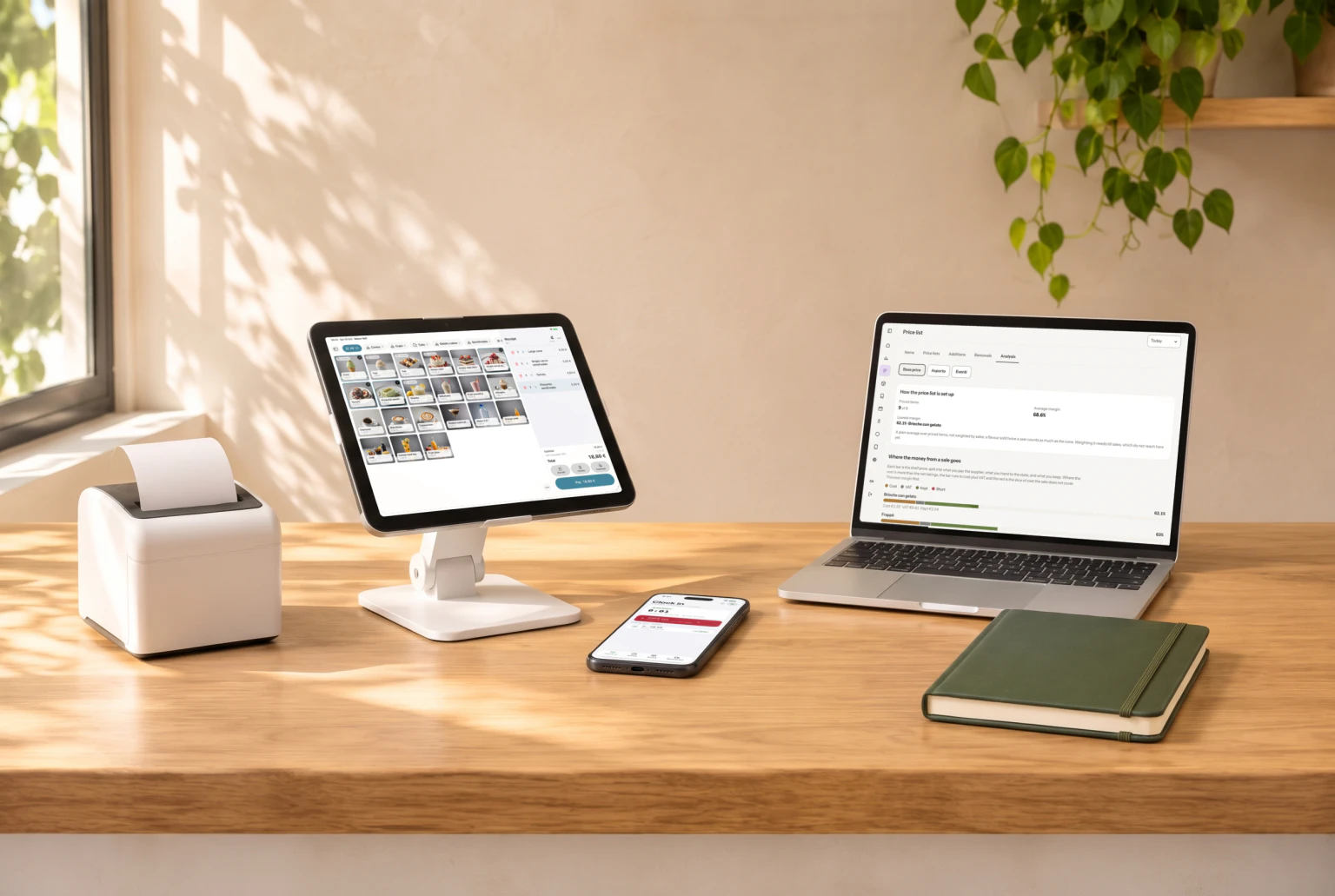
Nexur Hub is the Nexur web back office: it opens in the browser and brings together what the other apps do. Sales with the weather alongside, the margin of every price list item, the cost of every recipe, and the production plan to send to the lab.

Everything that happens at the counter, in the lab and on the rota arrives here, already in order.
What it does
The numbers, and the decisions that follow
Pick a feature and see how it is used. «Learn more» opens the detail.
Sales
The week's takings, receipts and average receipt, the day-by-day trend with the weather alongside, and the peak hours.
Price list margins
For every item on the price list: how much goes to cost, how much to VAT and how much is left. The lowest margin jumps out.
Recipe costs
The cost of one kilo of mix, ingredient by ingredient: when a delivery note brings a new price, the cost updates.
Production plan
The proposal comes from sales minus what's left: use it or adjust it, and send it to the lab, which finds it in Make.
A day with Nexur Hub
01Monday morning
The week at a glance
Takings and margins by flavour, and what changed since the week before.
02When a price changes
One change, every till
Price lists and products are changed here, for one shop or all of them.
03Every evening
Tomorrow’s plan
The proposal from sales, adjusted if needed, and sent to the lab.
04When a delivery note arrives
Costs update
The new price goes into the recipe book, and the cost per kilo changes with it.
Nexur Hub and the other apps
What it does doesn't stay inside it: the data is the same for every app, not a copy.
Nexur Hub → Nexur Team
The shift you plan arrives on the phone
Plan the week from the console and whoever is working finds it on their phone, with a notification. No sheet pinned up in the lab, no message to type out again.
Nexur Hub → Nexur Sell
You write the allergens once
The allergen register you fill in on the console is the one the counter shows and the one that ends up on the receipt. A gelato shop created from the console is already set up at the till.
What you need to get started
A browser
The Hub opens from any computer, with nothing to install.
One shop or several
Each shop has its own numbers, and you look at them one by one or all together.
A browser
The Hub opens from any computer, with nothing to install.
One shop or several
Each shop has its own numbers, and you look at them one by one or all together.
Choose how long to commit
Core module · Nexur Hub is included: it comes with Nexur Sell. All figures exclude VAT.
Month to month
No commitment
€50.00
per month
plus €250.00 setup fee
One year
12-month commitment
€45.00
per month
plus €250.00 setup fee
Three years
The lowest price36-month commitment
€40.00
per month
plus €250.00 setup fee
We come to your shop: we set up the devices, load your data and train you and your staff.
What Nexur Hub includes
- Overview of takings and margins
- Master data and price lists, across several locations too
- Recipe book with the cost per kilo
- Exports for your accountant
Questions
Do I need to install anything?
No: the Hub opens in the browser, from the «Sign in» button at the top of this site.
Can I look at several shops together?
Yes: master data, price lists and numbers can be viewed by shop or all together.
Where do the numbers come from?
From the other apps: sales from Sell, costs from Make and the delivery notes, hours from Team. Nothing is copied into the Hub by hand.
How much does it cost?
Included in the Core module: not bought separately.
It does even more, with the other apps



Try Nexur Hub
Half an hour, on your gelato shop’s numbers, with no commitment.